
November 24, 2025
JavaScript,REST API,Responsive Design
24/7 Currency Converter - Portfolio Project
Project Overview: I developed a responsive currency converter web application that enables users to convert between 40 different global currencies in real-time. The application features a clean, modern interface with an intuitive user experience.
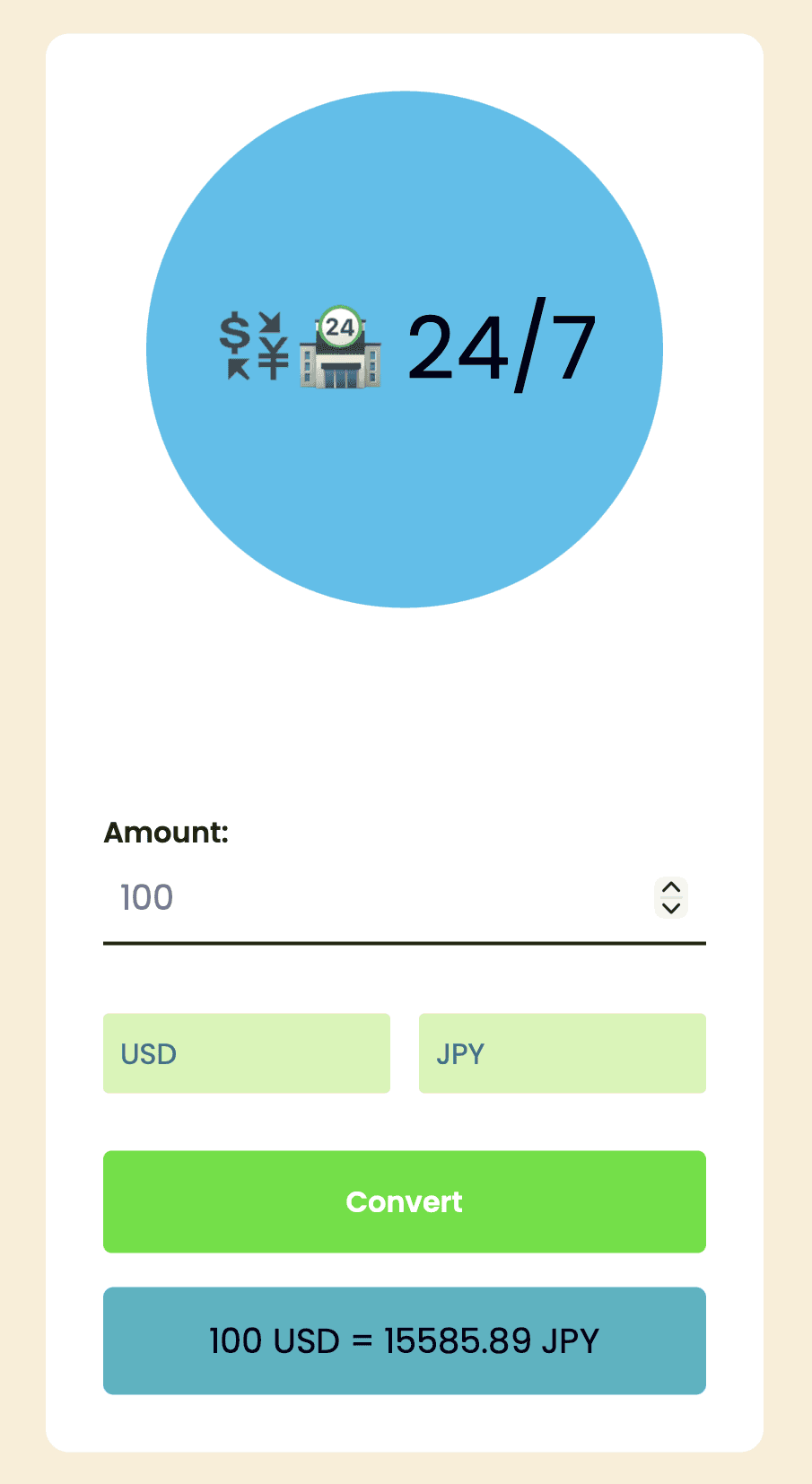
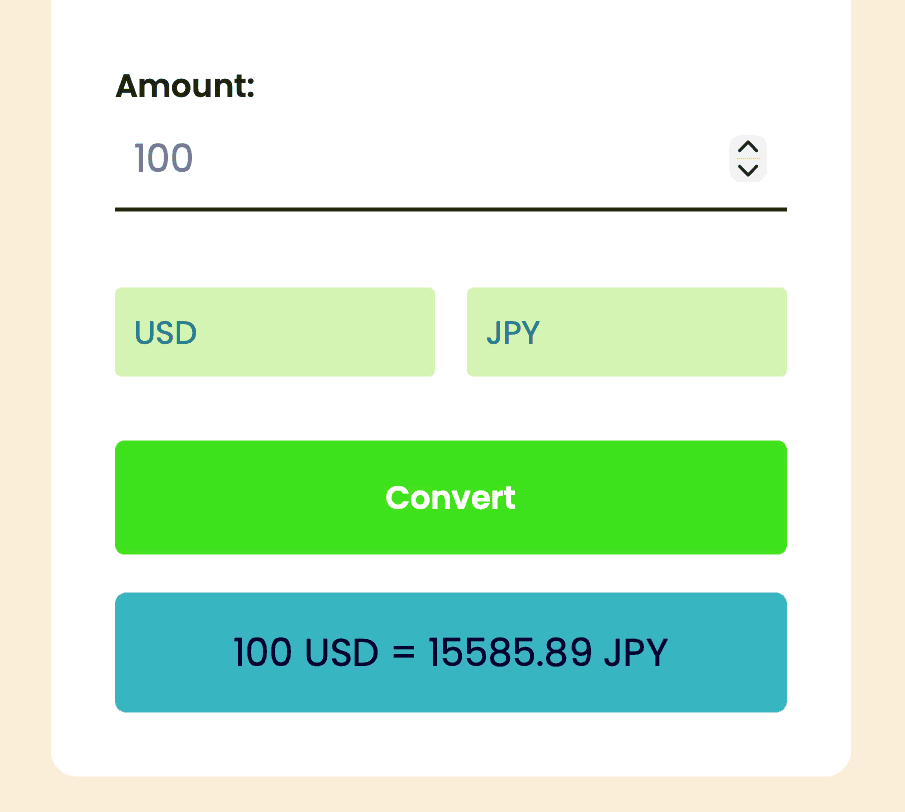
What I Built: I created a single-page application that allows users to input any amount and instantly convert it between their chosen currencies. The app automatically performs a conversion on page load (defaulting to 100 USD to EUR) and updates whenever the user clicks the convert button.
Technical Implementation:
Built the entire frontend using vanilla HTML, CSS, and JavaScript without relying on frameworks
Designed a responsive layout that adapts seamlessly to different screen sizes
Implemented custom styling with the Poppins font family for a modern aesthetic
Created dropdown menus populated with 40 major world currencies
API Integration: I integrated the ExchangeRate-API (v6) to fetch live exchange rate data. My implementation:
Makes asynchronous API calls using the Fetch API
Retrieves current conversion rates with USD as the base currency
Calculates cross-currency conversions by converting through USD as an intermediary
Includes error handling to manage failed API requests gracefully
Key Features:
Real-time currency conversion with up-to-date exchange rates
Support for 40 international currencies
Input validation to ensure amount field is populated
Clean, centered card-based UI design
Hover effects and focus states for better user interaction
Skills Demonstrated:
DOM manipulation and event handling
RESTful API integration
Asynchronous JavaScript (Promises, Fetch API)
Responsive web design
CSS styling and layout techniques
>>>>>>All 3 files of the Currency API <<<<<<<<<
Index.html
<!DOCTYPE html>
<html lang="en">
<head>
<meta name="viewport" content="width=device-width, initial-scale=1.0" />
<title>Currency Converter</title>
<!-- Google Fonts -->
<link
href="https://fonts.googleapis.com/css2?family=Poppins:wght@400;600&display=swap"
rel="stylesheet"
/>
<!-- Stylesheet-->
<link rel="stylesheet" href="style.css" />
</head>
<body>
<div class="wrapper">
<div class="app-details">
<div class="app-icon">💱🏪 24/7</div>
<h1 class="app-title">Currency Converter</h1>
</div>
<label for="amount">Amount:</label>
<input type="number" id="amount" value="100" />
<div class="dropdowns">
<select id="from-currency-select"></select>
<select id="to-currency-select"></select>
</div>
<button id="convert-button">Convert</button>
<p id="result"></p>
</div>
<!-- Script With Array Of Supported Country Codes -->
<script src="currency-codes.js"></script>
<!-- Script -->
<script src="script.js"></script>
</body>
</html>
{Style.CSS}
* {
padding: 0;
margin: 0;
box-sizing: border-box;
font-family: "Poppins", Lora;
border: black;
outline: none;
}
body {
background-color: rgba(245, 222, 179, 0.522);
}
.wrapper {
width: 90%;
max-width: 25em;
background-color: #ffffff;
position: absolute;
transform: translate(-50%, -50%);
left: 50%;
top: 50%;
padding: 2em;
border-radius: 0.8em;
}
.app-details {
display: flex;
align-items: center;
flex-direction: column;
}
.app-icon {
width: 6em;
height: 6em;
background-color: rgb(58, 192, 236);
border-radius: 50%;
display: flex;
align-items: center;
justify-content: center;
font-size: 3em;
margin-bottom: 1em;
}
.app-title {
font-size: 1.6em;
text-transform: uppercase;
margin-bottom: 1em;
color: white;
}
label {
display: block;
font-weight: 600;
color: rgb(33, 26, 26);
}
input#amount {
font-weight: 400;
font-size: 1.2em;
display: block;
width: 100%;
border-bottom: 2px solid #232c00;
color: #7a789d;
margin-bottom: 2em;
padding: 0.5em;
background-color: transparent;
}
input#amount:focus {
color:rgb(25, 24, 24);
border-color: #4abf69;
}
.dropdowns {
display: flex;
align-items: center;
justify-content: space-between;
gap: 1em;
}
select {
width: 100%;
padding: 0.6em;
font-size: 1em;
border-radius: 0.2em;
appearance: none;
-webkit-appearance: none;
-moz-appearance: none;
background-color: rgb(210, 245, 179);
color: #227a90;
cursor: pointer;
}
select option {
background-color: #ffffff;
color: #02002c;
}
button {
font-size: 1em;
width: 100%;
background-color: #3de21c;
padding: 1em 0;
margin-top: 2em;
border-radius: 0.3em;
color: #ffffff;
font-weight: 600;
cursor: pointer;
}
button:hover {
background-color: #499d6b;
}
#result {
font-size: 1.2em;
text-align: center;
margin-top: 1em;
color: #02002c;
background-color: #3bb4c1;
padding: 0.8em 0;
border-radius: 0.3em;
}
script.js
let api = `https://v6.exchangerate-api.com/v6/7891f402af8c86dba067b74b/latest/USD`;
const fromDropDown = document.getElementById("from-currency-select");
const toDropDown = document.getElementById("to-currency-select");
const currencies = [
'USD', 'EUR', 'GBP', 'JPY', 'AUD', 'CAD', 'CHF', 'CNY', 'INR', 'MXN',
'BRL', 'ZAR', 'RUB', 'KRW', 'SGD', 'HKD', 'NOK', 'SEK', 'DKK', 'NZD',
'TRY', 'PLN', 'THB', 'IDR', 'HUF', 'CZK', 'ILS', 'CLP', 'PHP', 'AED',
'COP', 'SAR', 'MYR', 'RON', 'BGN', 'HRK', 'ISK', 'ARS', 'PKR', 'EGP'
];
currencies.forEach((currency) => {
const option = document.createElement("option");
option.value = currency;
option.text = currency;
fromDropDown.add(option);
});
currencies.forEach((currency) => {
const option = document.createElement("option");
option.value = currency;
option.text = currency;
toDropDown.add(option);
});
fromDropDown.value = "USD";
toDropDown.value = "EUR";
let convertCurrency = () => {
const amount = document.querySelector("#amount").value;
const fromCurrency = fromDropDown.value;
const toCurrency = toDropDown.value;
const result = document.querySelector("#result");
if (amount.length != 0) {
fetch(api)
.then((resp) => resp.json())
.then((data) => {
let fromExchangeRate = data.conversion_rates[fromCurrency];
let toExchangeRate = data.conversion_rates[toCurrency];
const convertedAmount = (amount / fromExchangeRate) * toExchangeRate;
result.innerHTML = `${amount} ${fromCurrency} = ${convertedAmount.toFixed(
2
)} ${toCurrency}`;
})
.catch((error) => {
result.innerHTML = "Error fetching exchange rates";
console.error("Error:", error);
});
} else {
alert("Please fill in the amount");
}
};
document
.querySelector("#convert-button")
.addEventListener("click", convertCurrency);
window.addEventListener("load", convertCurrency);